Showing posts with label customizing. Show all posts

Wednesday, April 5, 2023

Vanilla vs customized SAP systems

Vanilla is the term used when computer software (also other computing related things like hardware) are not customized from their original form, i.e., they are used without any customizations or updates applied to them (see wikipedia).

A vanilla SAP system refers to a standard installation of the SAP software without any additional customizations or enhancements. It is also known as a standard SAP system or a SAP system without any modifications.

When an organization decides to implement an SAP system, they can either choose to use the vanilla SAP system or customize it to meet their specific needs. The vanilla SAP system can be flexible and configurable, in a way that to some extent it meets the requirements of the organization without requiring significant customization. However, it is not uncommon for the organizations to require additional functionality that are not provided by the standard system.

In such cases, the organizations may choose to customize the vanilla SAP system by developing custom programs, reports, and interfaces, or by implementing add-on modules or third-party software solutions. However, customizing the SAP system can be a complex and expensive process that requires significant resources and expertise.

In summary, a vanilla SAP system is a standard installation of the SAP software without any customizations or enhancements. It provides all the standard modules and features that are offered by SAP and can be configured to meet the requirements of different businesses to some extent. However, companies may choose to customize the system to meet their specific needs, although this can be a complex and costly process.

In an era of cloud computing when the organization are moving to the cloud it becomes important to analyze into what extend their SAP installation are customized. Heavy SAP customization can be challenge for the cloud. Mostly because of the customization may not be compatible with the cloud environment or the cloud platform on which the SAP instance is being hosted. In addition, there might be a security and compliance issues, impact on scalability and performance, and maintenance and support challenges. It is important to carefully evaluate the impact of customization when moving SAP to the cloud and plan accordingly to minimize any potential issues.

Thursday, February 23, 2023

Client strategy for SAP BW

While SAP BW system is being installed, a decision needs to be done on a client strategy for the system itself. How to decide which client is to be used as BW Client? One important thing to mention is that SAP BW handles only one client in the particular system (see You can only work in client 001). This is contrary to SAP ERP systems where such the system can have multiple clients (see How to get rid of clients 001 and 066 ?). Sometimes the client strategy is referred by a term Client Distribution. Technically the BW client is stored in table RSADMINA and in column BWMANDT. There are following function modules to work with the BW’s client ID:

·        RS_MANDT_UNIQUE_GET Determine BW Client

·        RS_MANDT_UNIQUE_SET Define BW Client Permanently

As a rule of thumb it is recommended to have BW dedicated client in cases like:

·  If data is physically replicated from SAP application to Embedded BW, both the another SAP app and the Embedded BW runs on the same system

· Organization reasons (data separation due to different companies e.g. holding structure, etc.)

There are several aspects to be considered. One of the major one is depending on what type of BW systems it is. There can be following cases:

1 Standalone BW – a full blow BW system, running on dedicated server, has its own client as it is running on its own server separated from other SAP systems.

2 SAP S/4HANA embedded analytics using ABAP-based CDS and the Analytical Engine (automatically generated transient BEx providers). In case organization is using this scenario heavily for many use cases, it is better to create dedicated client for analytics.

3 SAP S/4HANA BPC Optimized using SAP BPC on PAK models. No separate BW client needed unless (similar to the case above) there will be a use cases combining external data with the S4/HANA data.

4 Embedded BW – BW included in SAP ERP systems since SAP NetWeaver 7.0, see more info here.

4.1 Embedded BW usage creating small customer-specific data models for reporting and planning (incl. BPC on PAK), including external data sources to stage data into the Embedded BW (other SAP system, e.g. other SAP ERP/CRM/etc., stand-alone BW or non-SAP legacy system) – no usage as Enterprise Data Warehouse.

4.2 Embedded BW usage to stage data from the same SAP S/4HANA system - separate client for Embedded BW is recommended. E.g. there are multiple S4/HANA clients (dev, testing, training, etc.) along one client dedicated to the Embedded BW.

More information:

Embedded SAP BW Definition and Positioning

You can only work in client 001

Embedded BW 1

Embedded BW 2

Tuesday, February 14, 2023

BW4 – Parameters of RSADMINA table

I described parameters of table RSADMINA (Control Table That Customer Can Change (Tenant-Specific)) table in my earlier post here. However since introduction of BW/4 systems there are more params in the mentioned table.


TLOGO_EXEC_DISAB       TLOGO Types: Automatic Execution Deactivated


BW4HANA_SWITCH         SAP BW, Edition for SAP HANA Switch, provides an information about BW4 operating mode.

Possible values:

           unknown (only internal)

0        Add-on not installed

1        Compatibility mode

2        B4H mode


TECH_SCOPE                   Operating Scope, so called Data Warehouse mode: Data Warehouse, Embedded BW, and Embedded Analytics

Possible values:

          (NO_BW_SCOPE)

1        Lean Data Warehouse (ANALYTICS_ONLY)

4        BPC Planning only

16      Data Warehouse (DATA_WAREHOUSE)


TECH_COMPONENTS        Data element for tech. content component


HDI_MODE                       HCPR, IOBJ: Consumption Mode for HANA Native Objects. It checks if HANA DB schema name is equal to ‘_SYS_DI’.

Possible values

0        Repository Version 1 (No HDI Support)

1        Hybrid Support (Repo1 and HDI in parallel)

2        Pure HDI Support (Repo 1 is not supported)


ODATA_AUTO_REL           Release OData Service after Generation, whether BW queries are released automatically for OData consumption.


Comparision of RSADMINA table in BW/4 and classic BW systems:


More information:

Parameters of RSADMINA table

Sunday, March 20, 2022

BW4 - Parameters of RSADMIN table

Many BW’s functional parts can be influenced by parameters. BW has few tables that store those parameters. Most prominent among them is RSADMIN one. With the introduction of BW/4HANA a suite of new parameters were introduced in the RSADMIN table.


Some of the RSADMIN parameters valid for BW/4HANA are having a BW4 prefix. However, that can’t be an guiding rule to distinguish between parameters valid for BW4 and prior BW’s versions. Thus there is a wide range mix of the parameters introduced in older BW versions that are still valid for BW/4HANA based systems.

Below I just mention few most important params that I came across.


ADSO_NE__XYZ (2950922) if values is set to X a zero elimination during aDSO request activation is activated. XYZ stands for particular aDSO technical name. This is same as param ADSO_NULL_ELIM__XYZ (2931468) that is valid for BW 7.5 systems.


ADSO_MDC_MODE_FOR_BEXFL_NEVER (3024244) parameter to decide what master data check mode is to be used by default for an InfoObjects in aDSO if the source object is a classic DSO.


Overview of BW/4HANA’s RSADMIN table parameter can be found in SAP Note: 2769125 - Composite Note: RSADMIN Parameter for SAP BW/4HANA


Related posts:

Parameters of RSADMINC table

Parameters of RSADMINA table

How to work with RSADMINA, RSADMINC and RSADMINS tables

How to work with RSADMIN table

Finally there is a list of RSADMIN table parameters (classic BW)

Friday, December 31, 2021

Customizing of SAP BW

In a world of SAP, in general we use a term customization a lot. Normally the customization refers to adjusting an application to user specific needs. We say that the application gets customized to meet respective business needs. In case of multiple SAP modules (FI, CO, SD, MM, etc.) it means a process (usually an implementation project) thru which those modules are adjusted to fit an organization needs.

However, in SAP BW world this term is not much used. Reason is that the BW is rather technical module where the aim is to provide a user with a set of reports to help him to make a business decisions. Looking at the BW as a system to provide a business intelligence solution via frontend objects like reports/dashboards implementation of the BW is about delivering those BI objects. Therefore it cannot be just customized -  needs to be developed.

However, in my point of view there are two aspects that we possible can speak about customizing of the BW systems. One would be deploying of Business Content in order to deliver the reports. This includes an activation of it, setting it up, enhancing it (e.g. DataSources or reports via customer exits) etc. Second thing could be an initial technical configuration of the BW system right after its installation that can be viewed as the BW system customization. These are meant to be a steps that make the BW system usable and be ready for developing BI objects. This can involve steps like:


·        Defining Client Administration in the BW System (create a client copy (t-code SCCL), log sys (t-code SCCLN t-code SCCLN), etc.)

·        SAP Basis setup: profile parameters (t-codes: RZ10, ST02, etc.)

·        Create logical system (t-code: BD54)

·        Assign logical client (t-code: SCC4)

·        System Change Option (t-codes SE06)

·        OLAP cache settings (t-codes: SCUSTV14 or RSRCACHE)

·        Default processing settings (t-codes: RSODSO_SETTINGS)

·        Background settings (t-codes: RSBATCH)

·        Transfer parameters related to source systems (max kB, max lines, frequency, max. process, target system, t-codes: RSCUSTV6, SBIW)

·        Assign default logon group, default RFC group (t-codes: SMLG, RZ12)

·        Create default user, assign its authorization (t-codes: SM59, SU01)

·        Defining client administration in source systems

·        Check of IO 0OBJNM (t-code SNRO (Number Range Object Maintenance) object: BIM9999991)

·        Activate Technical Business Content (t-codes: RSTCO_ADMIN, RSTCT_INST_BIAC)

·        Check of what Business Function are in/active (t-code SFW5)

·        Configuring cold store

·        Configuring BW workspaces

·        Configuring SAP BW/4HANA Cockpit

·        Creating a Connection to a Back-End Systems (define users, logical systems names, ALE communication, RFC connections, customizing settings in source system, transfer global settings (e.g. exchange rates) from source to BW, activate DataSources, meta data upload)

·        Activate BEx history (t-codes: RSA1 or RS_PERS_ACTIVATE)

·        Activate relevant web services (t-code: SICF ->

RSO_META_DATA_REPOSITORY), web dynpros (t-code: SICF_INST)

·        Customizing of BEx/BW frontend version (t-code: RRMX_CUST)

·        Activate transport system STMS/CTS (t-code: STMS)

·        Create custom development package to be assigned to Transport Connection (t-code SE80)

·        Maintain permitted characters (t-code RSKC)

·        Check table RSADMINA

·        Check table RSADMIN

·        Activate background dispatching (t-code RZ11)

·        Assign default menu (t-code SSM2)

·        Setup trusted connection (e.g. for SSO)

·        Etc..


All of these is probably a reason why there is no a central t-code where the BW customization would take a place. Although through the history of SAP BW there were attempts to create such t-code. Actually, even in the newest BW/4HANA systems the below two t-codes are available. They both were created very long time ago as they started to appear in very old BW versions. They both call Function Module “DSYS_OUTLINE_BROWSE” but with different outline. What was meant by the outline is probably a subset of customizing entries. See below for the details.


t-code          program                 description                      outline

RSIMG           RSIMG_CALL           BW IMG                             SIMG_SBIW

SBIW            SBIWSHOW             BIW in IMG for OLTP           SIMG_SBIW or SIMG_SBIW


However, none of the above t-codes really provides big value. The RSIMG does not work at all. Attempt to run it ends up with the error message “Document not found”. In the case of SBIW t-code it runs but it provides just part of customizing related to source system.

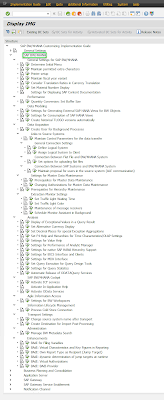
The customization of the SAP BW as I described it in above just happens in SPRO t-code. See below pictures on how part of the SPRO t-code looks in BW 7.5 (or lower like BW 7.4, BW 7.3, BW 7.2) and BW/4HANA systems.


More information:

Customizing of BW4 systems

Configuration of BW system

Monday, May 31, 2021

Table RSADMIN parameter analysis

Over the years t-code ST13 -> BW tools has been developed a lot. It was introduced since BW 3.5 SP19 and as SAP BW was enhanced in my features a new features were adding into it.

Here’s how the t-code looks like in the recent versions.

BW 74 or 75:


BW4 2.0:


In this blog post, I would like to explore a ST13 BW tools’ feature called “RSADMIN Parameter Analysis”. The feature is coded in routine called RSADMIN_ANALYSIS within ABAP program /SSA/BWT. There is almost 6k of ABAP code lines that are populating many parameters/values of table RSADMIN. The routine output structure corresponds into the ALV grid that is displayed in the t-code after the analysis:


OBJECT              RSADMIN parameter name itself. E.g. /SAPAPO/DEBUG_FLAG

DEFAULT_VALUE  parameter value, e.g. L or R = Read; S or W = write;

NOTE1               Related SAP Note No, e.g.  302937

NOTE2                as above, if there are more SAP Notes related to the same param

TEXT1                Text related to param, e.g. Debugging APO/SEM/CRM/BPC read/write interface in BW 3.x,7.x

TEXT2                 as above                           

AREA                 BW App area of the param on SAP ONE support site, e.g. SAP BW-BEX-OT-DBIF

VERSION_LOW    Lowest BW version that the param is valid from, e.g. 30+

VERSION_HIGH   Highest BW version that the param is valid to, e.g. 700

CATEGORY          Analysis


The feature it-self enables to see if particular param is applicable for the system. Those which are not are displayed as disabled items in the output grid. It allows to quickly displaying relevant SAP Note that describes the particular param in more detail. There is an overview of the default values for the params, from/to BW version that param is valid for, category, etc.

Although the tools is not very dynamic (as all the RSADMIN table are hardcoded); it also doesn’t allow analysis of what current param values are present in the RSADMIN table it is a nice tool that provides a brief overview of the params.

More information:

Suite of helpful BW programs – BW Tools (ST13->BW-TOOLS)


Saturday, February 20, 2016

Parameters of RSADMINS table

In today’s post I introduce another important customizing table of BW. Among tables like RSADMIN, RSADMINA and RSADMINC it is RSADMINS table. Similarly to previous ones it also stores params need to BW system functioning properly.


General parameters

CUSTOMIZID                ID for Customizing in BW. For the BW system a value of this param is always BW.

DRAGDROPOFF             Drag&Drop off(='X'), Controls drag & drop behavior in tcode RSA1->Modeling->InfoObjects section, by default OFF is enabled

ISPREF                          Prefix for name of an InfoSource

AUTOSTEP2                   Step 2 automatic when loading master data and texts

HIERARCHYVIRTFR         Virtual Time Hierarchies: From Date, SAP Note: 1239449 - CTC Correction report

HIERARCHYVIRTTO        Virtual Time Hierarchies: To Date

FCALID                         OLAP: Default Factory Calendar ID, can be maintained in tcode RSRHIERARCHYVIRT

FISCPERTXTFLG             Indicator for Controlling Master Data Texts for 0FISCPER


System Settings for Metadata Modeling: e.g. Business Content

SYSTP                          System type. Either the BW system is using SAP Namespace (value = SAP) or Customer Namespace (value = CUS)

IS_CONTSYST              System is Content system. Setting is relevant if the BW system is used to develop customer or partner BI Content object. If it is the case than param has value of X. All metadata objects are then copied from the active (A) version into the delivery (D) version when you save or activate them. Additionally, only the delivery objects and not the active objects are written to the transport request.

CONTENT_CHANGE      Changeability of External Content Objects. Setting external objects to can be changed in the Content system. Changes to BW Content objects delivered by SAP or other partners are not normally allowed in customer Content systems. SAP Note: 539278 - Maintaining SAP objects in the customer Content system

CONTREL                      It contains value of so-called Content release. It tells with which release particular Business Content object was delivered. You can recognize in particular whether there is a newer version (with a higher content release) in the SAP Version than in the active version. In this case, it is advisable where necessary to match these two versions so that you can use the new functionality of the Business Content.

ACT_CONT_AUTOM      Business Content is automatically activated after transport import. To deactivate the BI Content objects activation value of this param shall be set to "Content is not activated". SAP Note: 1140045 - Termination RSO 878 with BI orders, SPs, urgent corrections

TADIRPOPUP               Indicator if TADIR popup is shown while creating new BW objects. In case value of the param is blank than BW Transport System as set which means that a dialog prompting the user to enter a transport request does not appear when creating/editing the objects. If it is set to X standard SAP transport is enabled. Means popup windows is prompting a user while creating/editing the objects. See more information in onlinedocu. SAP Note: 356018 - Activate the standard transport system in BW

PREF_AGR                     Prefix for installed activity groups

APPENDS_ALLOWED       Append Maintenance Switched On (DB Indicator with Default)

SCOPECHECK_MSGTY   Error Severity for Messages About Switch Consistency. InfoObjects that are deactivated using scopes are not displayed although the scope checks are deactivated (values: SPACE or S). SAP Note: 1138109 - Not enough objects displayed in input help for InfoObjects
WAREA_DISABLED         Indicator shows whether worklist was deactivated (='X')


Data loads related parameters

IDOCPREF                     Prefix for IDoc type

Related posts:

Monday, February 15, 2016

Parameters of RSADMINA table

In today’s post I introduce another important customizing table of BW. Among tables like RSADMIN and RSADMINC it is RSADMINA table. Similarly to previous ones it also stores params need to BW system functioning properly.

For BW/4 related RSADMINA params see here.


General parameters

CUSTOMIZID                ID for Customizing in BW. For the BW system a value of this param is always BW.

BWMANDT                    Unique client in BW. For the BW system a value of this param must be maintained.

BWMANDTRFC              Multiple Client Function: Destination in BW Clients. In case BW is used in as system with more than one client then this param is used. It can be a case of an APO system since APO customizing is client dependent unlike BW where it is independent. Param technically enables working with BW in different clients.

TPBWMANDTRFC          After-Import: Destination in Target Clients. This parameter is a destination used during the import post processing for the logon from client 000 into the target client.
BEX_REQUEST               Transport Request number for BEx


BW users related parameters

BW_USER                      User in BW for ALE communication

DEBUG_USER               User permitted for Debugging. Some of BW processes (e.g. staging: loads, DSO activation, etc.) perform a checks for this user and these processes are forced to wait for a specified amount of time before they continue. Therefore never run BW processes with this user.


HANA/BWA related parameters

TREX_RFC_DEST                        RFC Destination for BIA Indexes or HANA appliance


Data loads related parameters

MDINSRECBYREC         Loading Master Data: Use Single Record Insert Statement. Refers to the addition of data records when loading master data attributes. The two values that follow are provided:
initial: For the addition of records to the database, a mass insert statement is used (standard)
X: For the addition of records to the database, a single record insert statement is used (debugging)

PAK_MD_DEL                 Package-Based Deletion of Master Data

MONFILLED                  Monitor initialization completed. Used internally if monitor is run for the first time and has made its initial entries.

IDOCLASTNBR              Last IDoc type number. Param used to define and make unique the name of the basic IDoc type for the source system connection ('number range').

ISLASTNBR                    Last number entered for InfoSource

MONARCHNBR                (Next free) archive number for monitor

XPRADONE                    XPRA executed (2.0a)

ODSMAXTASKS              Maximum Number of Parallel Processes in ODS Activation

ODSMINPAKSIZE          Minimum Number of Data Records per Data Package (ODS Activ.)

ODSACTTIMEOUT          Maximum Wait Time in Secs. for ODS Activation

ENQ_PROT_ON             Switch-on Logs for Lock Manager. Writes an application log for each lock that is requested in the lock manager.

ODSSERVGROUP          Server Group (RZ12) for RFC Call when Activating Data in DataStore used for parallel ODS activation. The parallelization accesses the active table when determining the system ID and during the insert operation. Use tcode RSODSSETTINGS to maintain the param.


Obsolete parameters

DBSYSDEPGLOBL          Name of a generated global program (OBSOLETE)

DBSYSDEPREAD             Name of a generated program (OBSOLETE)

HIERREL                      Release status of application hierarchy DWB (OBSOLETE). . Is evaluated while metadata upload takes place to decide whether the hierarchy is overwritten or not. Used in release 2.0A below       .

TSLASTNBR                   Last number entered of a transfer structure (OBSOLETE)


Related posts: